
How to set up your desk for better posture
Small changes to your chair, screen, and keyboard can ease neck and back strain. You do not need expensive gear—just sensible adjustments.
Ask us about your setupGetting your chair height and back support right
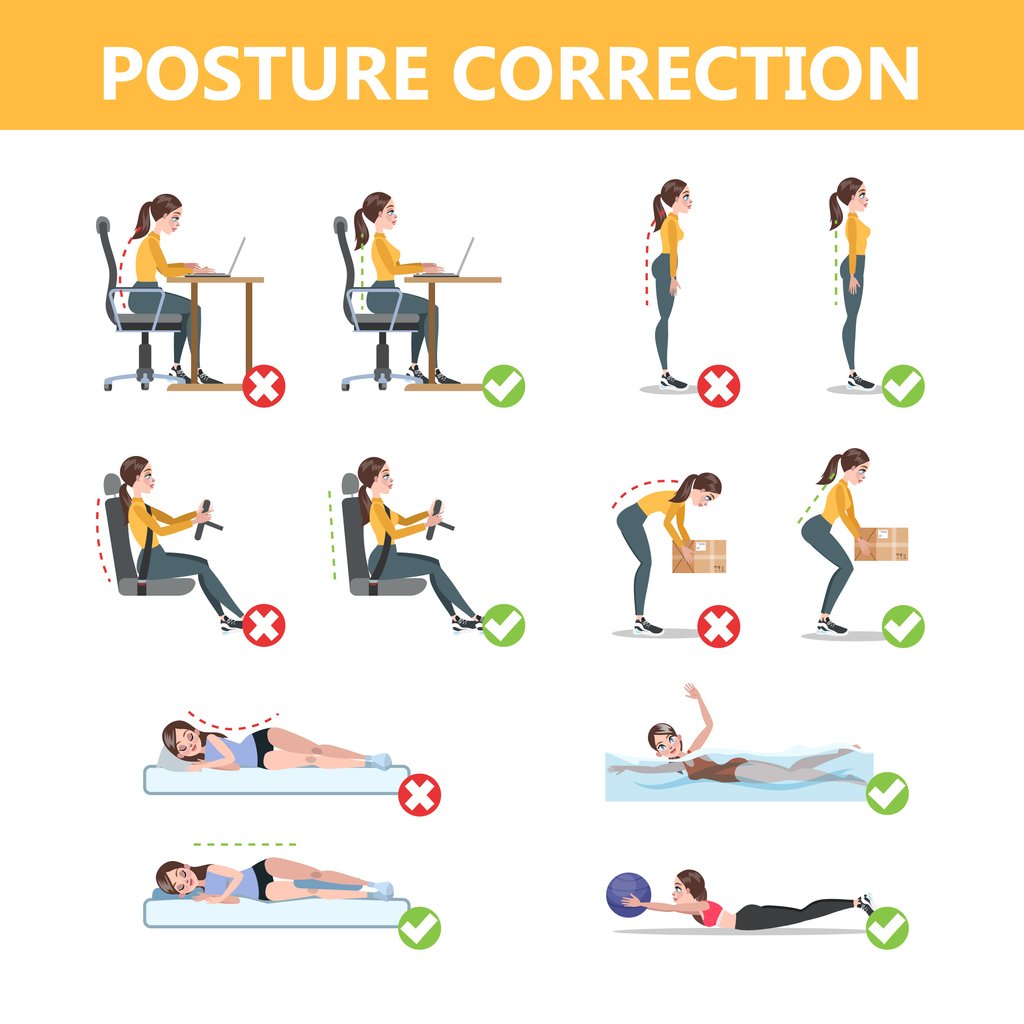
Adjust the seat so your feet sit flat and your thighs are level. If your feet do not reach the floor, use a footrest. Slide your hips to the back of the chair and leave about two fingers of space behind your knees so the edge does not dig in. Lower-back support should sit in the curve of your waist, not up at your belt.
Armrests are optional—if they push your shoulders up, lower them or ignore them while you type. In shared offices around Hamilton and elsewhere in New Zealand, set your chair once when you arrive and snap a photo if you use the same desk again later in the week.
- Thighs level, feet flat on the floor or footrest.
- Two fingers of space behind your knees.
- Back support in the lower back curve.
- Elbows bent about ninety degrees at the keyboard.
Screen, laptop, and papers in the right place
Put your main screen about an arm’s length away with the top near eye level. With two screens, keep the one you use most in front of you. A laptop on its own often pulls your head down—raise it on a stand and use a separate keyboard when you can.
Hold papers on a stand between the keyboard and screen instead of flat next to the mouse, where you twist to read them. Cut glare from windows or use a matte screen filter—tired eyes often go with slouching by afternoon.
Cushions, stands, and other helpersWorkplace safety at your desk
In New Zealand, employers should provide a desk setup that is safe and workable, and you should report ongoing discomfort early. Use the breaks and stretches on this site as general ideas—not as a substitute for your workplace training or site rules.
If you drive or operate machinery, follow the break and safety rules for your industry. Report broken chairs, screens that cannot be raised, or trip hazards in walkways through your usual work channel.
Keyboard, mouse, and phone without extra strain
Keep your wrists straight, not bent up on the desk edge. A light touch on the keys eases tension in your forearms. Keep the mouse close so your elbow stays near your body.
On calls, use speakerphone or a headset instead of trapping the phone between shoulder and ear. Looking down at a phone in your lap strains your neck—lift it or pause to stretch. Standing for video calls when you can helps you open your chest and shift your hips.